Boomer-friendly
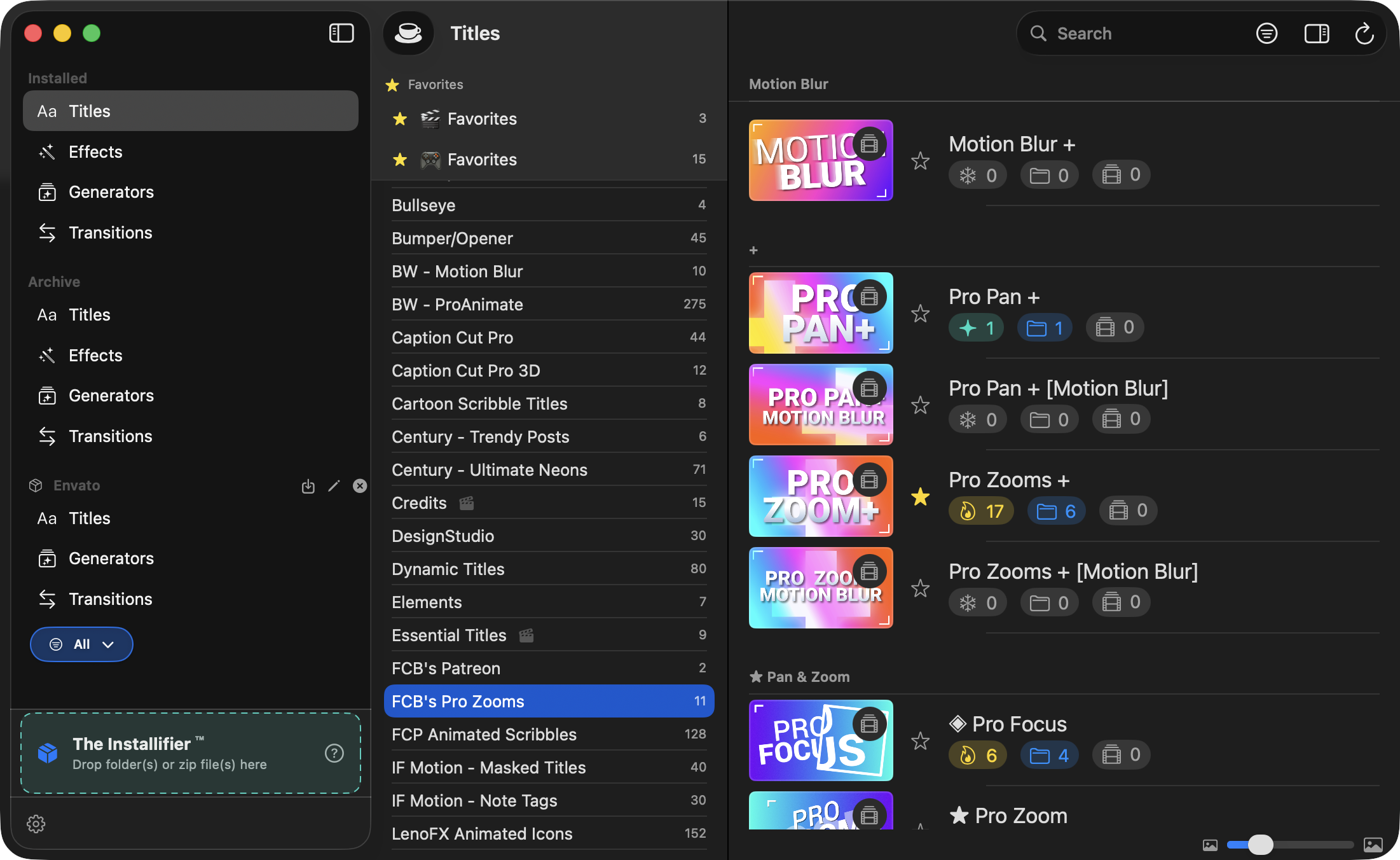
Are you a boomer like me? FCPTM guides you through the setup process. Easy-peasy-lemon-squeezy! You can also adjust the size of the thumbnails and text in the main viewer!
Fast browsing
Quickly search and filter across thousands of installed templates. Seriously. FCP is really slow at this.
Favorites
Copy your go-to templates to organized favorites folders so they're always at the top of Final Cut Pro.
Library & Project Scanning
This is rad. Scan your library and projects for used templates, then filter for easier favoriting and archiving.
Tags
Add custom tags to your templates. Filter your library your way. Yay!
Themes
Organize templates within their categories by creating or changing their groupings.
Archive & Restore
Archive templates you don't need right now. Restore them whenever you want — nothing is deleted. Unless YOU delete them. Then that's your fault.
Hide Templates
Don't want to Archive a template because it was used in old projects? Just Hide it from FCP! It won't clutter your FCP browser, but your timelines will still work!
Open in Motion
Jump straight to Motion to customize any template with a single click... Well... after right-clicking. And if you have it installed. Details.
Template Profiles
Create named sets of templates. Activate a profile and only those templates appear in FCP's browser — no archiving, no deleting, nothing is permanent. Great for separating client packs, genres, or active projects. Switch profiles in one step.
Library & Project Repair
FCP breaks template references when files move. FCPTM finds those broken links in your libraries and FCPXML projects, auto-matches replacements using CRC fingerprints, and exports a fixed copy — without touching your originals.
The Installifier
Drop folders or zip files onto the sidebar to install third-party template packs. Deep-scans nested zips, auto-organizes into the right FCP folders, and lets you organize and install selectively.
Video Preview Viewer/Generator
Watch video previews of templates in the app (for those that have them). And if they don't, generate them in the app. (Apple Compressor required).
...and more!
Rename and move categories, find misplaced templates, inspect template relationships, audit favorites, and fix malformed template XML blocks. It's a lot.